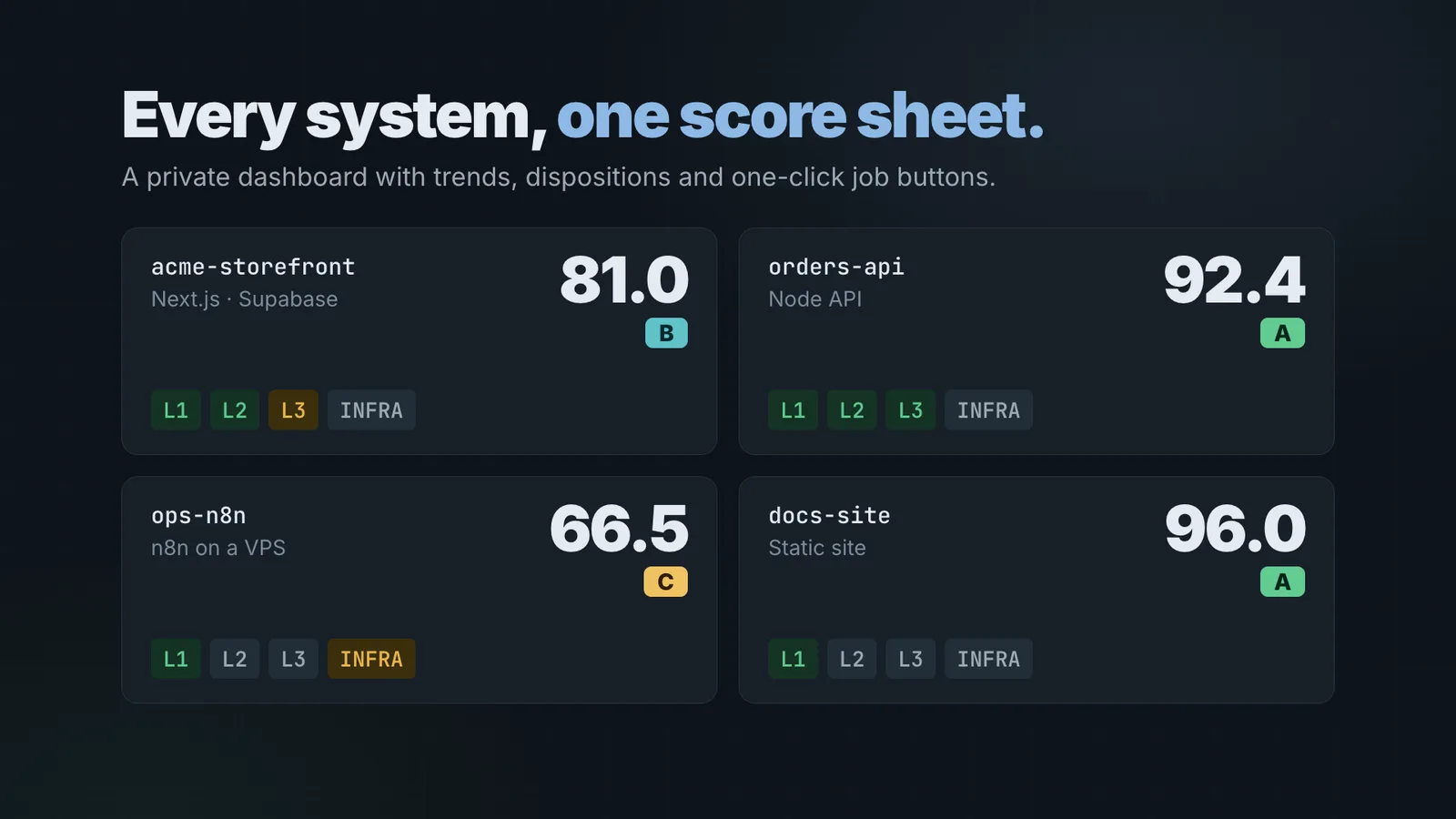
Rampart is a free, open-source security plugin for Claude Code. It gives your apps, sites and servers a security check-up, keeps one record of what it found, gives each project a score, and shows everything on one dashboard. It only reads and reports. It never changes your code, your settings or your servers.
It’s an early alpha (version 0.5.0-alpha.1), and it’s on GitHub under the MIT license. To try it, run these in Claude Code:
/plugin marketplace add FoodBreakPedro/rampart
/plugin install rampart@rampart
/rampart doctorWho it’s for
If you’re one person, or a small team, looking after several projects, security checks tend to happen one tool at a time. A secrets scan here, a dependency audit there, a header check when you remember. Nothing keeps the results together, so it’s hard to answer a simple question: which of my projects needs attention first?
Rampart is built for that spot. It runs the checks you pick, when you pick them, and keeps the results in one place you can come back to.
What it checks
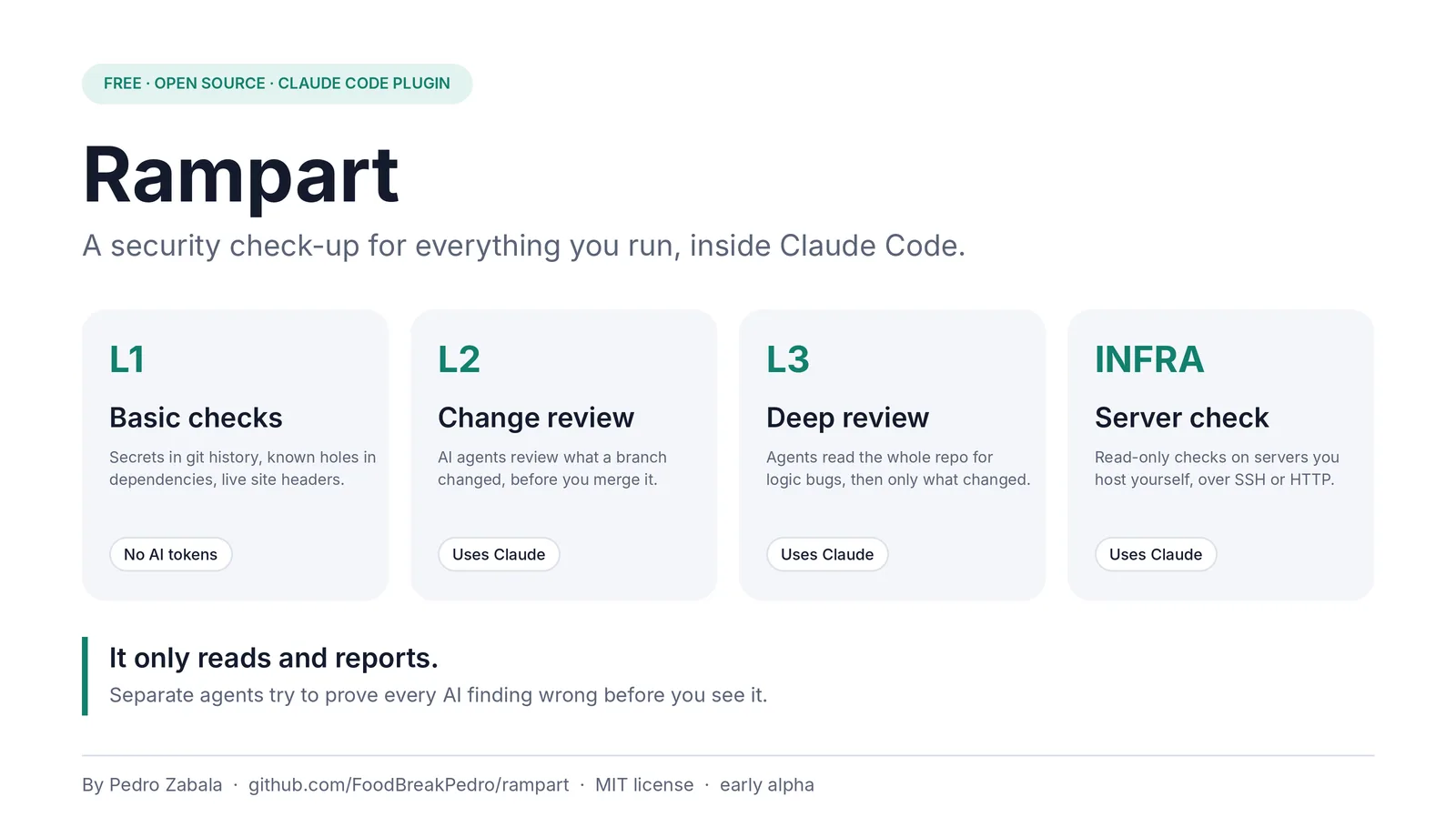
Rampart works in four layers, and you choose which ones to run:
- Basic checks (L1). Plain scripts look for passwords and keys anywhere in your git history, known holes in your dependencies, and how well your live site’s security headers are set up. These use no AI and cost nothing.
- Change review (L2). AI agents review what a branch changed, before you merge it.
- Deep review (L3). AI agents read the whole repository looking for logic bugs, such as one user seeing another user’s data or a broken sign-in. Later runs only re-read what changed.
- Server check (INFRA). Read-only checks on servers you host yourself, over SSH or HTTP, compared with a known-good setup.
The rules for each kind of system (Next.js, Expo, Supabase, Cloudflare Workers, n8n, Docker hosts, WordPress, static sites and Node APIs) are plain Markdown files in the repository. You can read exactly what Rampart looks for.
Every AI finding has to survive a second look
AI reviewers are good at spotting things that look wrong. They’re also good at reporting problems that aren’t real. A list full of false alarms trains people to stop reading it.
So when an agent reports a problem, Rampart hands it to separate agents whose only job is to prove it wrong. A finding reaches you only if it survives that. You see fewer findings, and the ones you see are worth your time.
This is the same idea as my post Delegate to AI. Don’t outsource to it. The agents do the reading and the arguing. You still decide what’s real and what gets fixed, and Rampart never makes the change for you.
You see the cost first
The basic checks are free. The AI checks run on Claude, so they count toward your Claude plan’s usage or your API bill. Before any of them start, Rampart shows an estimate for low, medium and high effort and waits for you to pick one. Nothing runs without that choice.
For a rough idea, the README notes that a low-effort run of every agent check on a small sample project cost about $4 in API usage. A large repository at higher effort costs much more, so start small.
What it won’t do
- It won’t touch anything you haven’t listed. You confirm each project is yours to test, and it refuses anything else.
- It won’t print or store the value of a password or key. A finding names the file, the commit and the kind of secret.
- It has no server or account of its own. Your record lives in plain JSON files in a folder in your home directory. The optional live dashboard is a private page on your own claude.ai account. Like any Claude Code work, the AI checks send the code they read to Claude.
There’s no sandbox, so Rampart runs with your Claude Code session’s permissions. For projects you don’t trust, run that session inside a sandbox.
What’s next
The next steps are suggested fixes (each checked by independent reviewers, and applied by you), a lighter version of the skill, and tests that measure how many real problems the agent checks find.
If you try it, I’d like to hear how it goes. Bugs and ideas go in GitHub Issues.
Frequently asked questions
Is Rampart free?
Yes. Rampart is open source under the MIT license. The basic checks cost nothing. The AI checks run on Claude, so they count toward your Claude plan's usage or your API bill, and Rampart shows you an estimate before any of them start.
Will Rampart change my code or my servers?
No. It only reads and reports. On servers it runs read-only commands, and only on the hosts and addresses you list. You decide what to fix.
How do I install it?
In Claude Code, run /plugin marketplace add FoodBreakPedro/rampart, then /plugin install rampart@rampart, then /rampart doctor to check your setup.